Secure one-time links
Text a link to anyone on site. They open the incident in their phone browser, read it and acknowledge it. No account, no app, no password, and the link is theirs alone.
The platform
There are no feature tiers. What changes between a village fete and a 40,000-capacity festival is the optional modules and what we bring on site — never whether the core system is any good.
Incidents
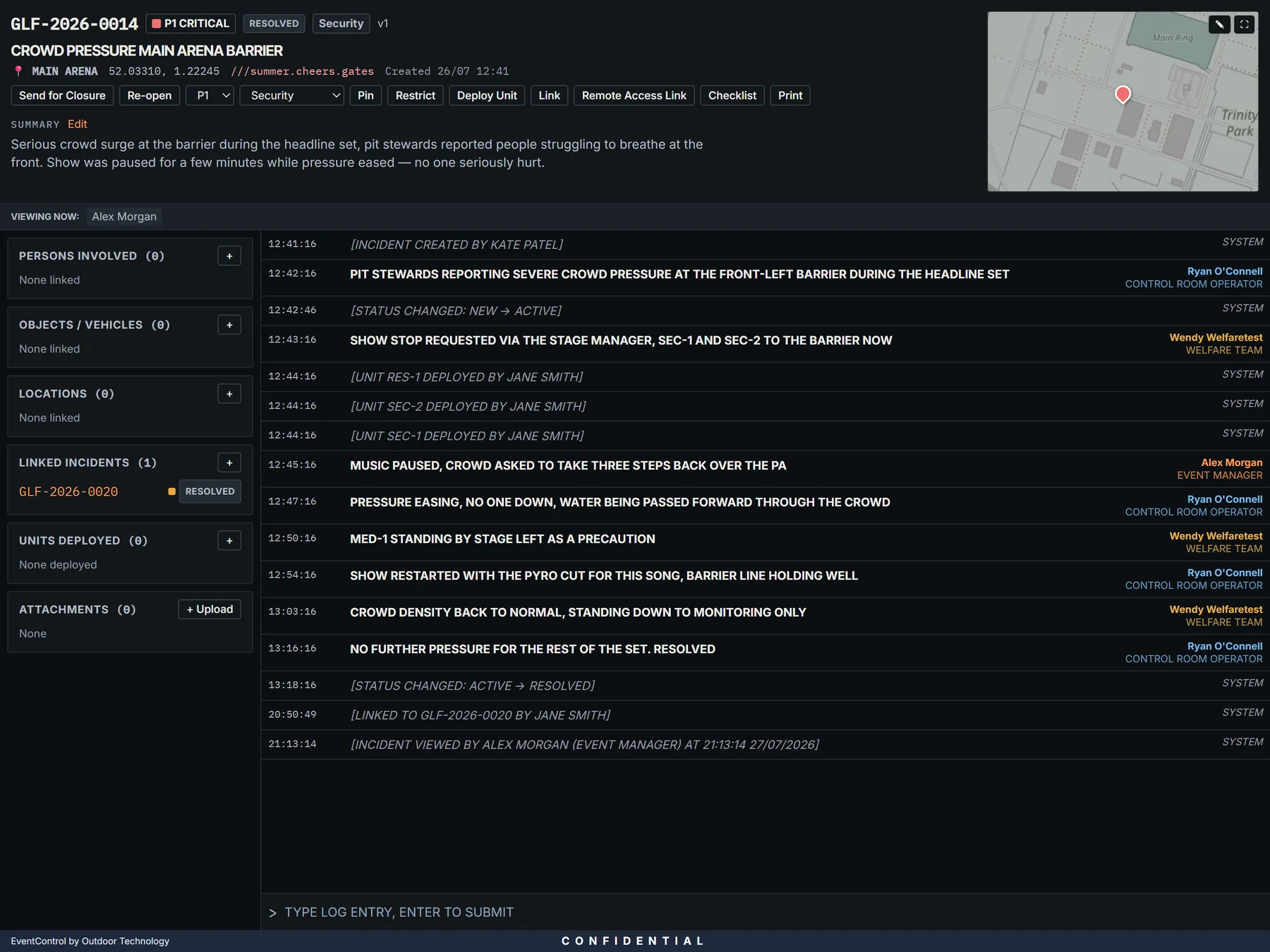
Most control room software fails because logging an incident is slower than shouting across the room. This one is built the other way round.
Stage one asks for the minimum: what and where. The incident is on the board and visible to everyone before anybody has filled in a form. Stage two adds the detail once the immediate thing is handled.
The shared log takes a single line, timestamped and name-stamped: type, hit enter, done. Every connected operator sees it appear. There is no draft state, no save button and no way for two people to overwrite each other.
Incidents carry a priority and a status, can be pinned to the top of the queue, and can be linked to each other — so the lost child and the found child are visibly the same job.
The entity registry
The second time somebody appears at your event, you should already know about the first time.
People, vehicles, objects and locations are records in their own right, not free text buried in an incident. Open a person and you see every incident they are connected to, in order. Duplicates can be merged when the same person gets logged twice under different spellings.
For annual events the registry carries forward, so year two starts with everything year one learned.
Live mapping
Incidents are pinned where they happened, as they are logged, on a plan your operators actually recognise.
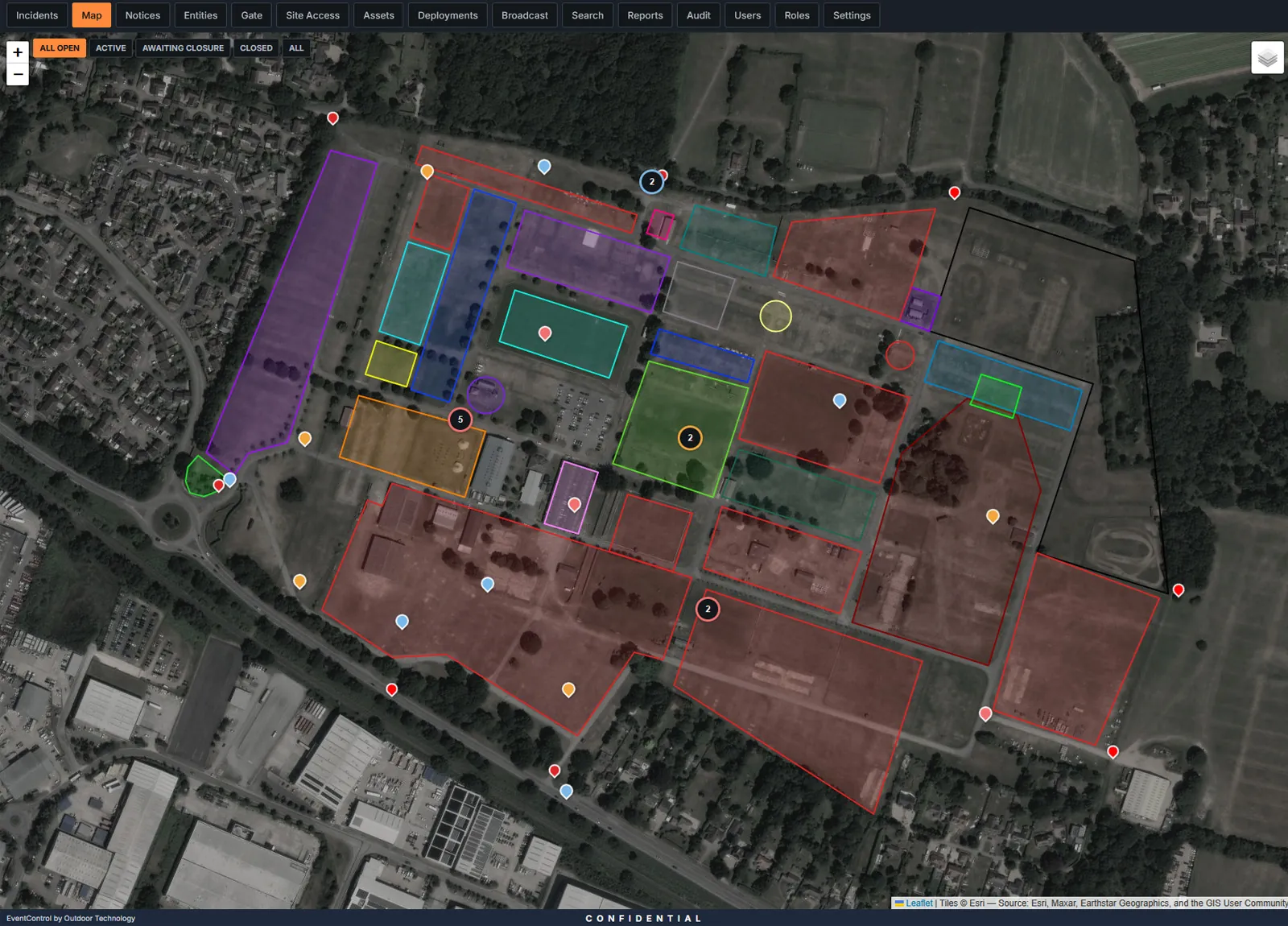
Every incident carries a location, and the map updates for every operator the moment one is created or moved. Priority is colour-coded, so the shape of the night is readable at a glance from across the room.
Upload your site plan and position it against the map, and it becomes the background every operator works on — so pins land on your gate numbers and arena names rather than on open countryside. No GIS work, no third-party mapping contract.
Supported throughout, for the locations that have no useful address — a field entrance, a track junction, a spot on a perimeter fence.
Reaching people
Site medics, contractors, a duty manager who has walked away from the desk. EventControl assumes they have a phone and nothing else.
Text a link to anyone on site. They open the incident in their phone browser, read it and acknowledge it. No account, no app, no password, and the link is theirs alone.
The control room sees who opened the link and who acknowledged, so "I never got that" stops being a conversation.
A notices board for standing information, and a wallboard view for the big screen so the room has a shared glanceable picture without anyone driving it.
Access & safeguarding
Five role levels ship as standard and can be edited, copied or replaced entirely.
| Role | Typical use | Can do |
|---|---|---|
| Read Only | Observers, visiting partners | View incidents, entities and reports |
| Standard Access | Gate stewards, radio desk | Site access sign-in/out, asset issuing, view incidents |
| Control Room Operator | The desk | Create and edit incidents, dispatch units, send SMS links |
| Supervisor | Duty supervisor | Close and restrict incidents, view restricted, export reports, audit log |
| Event Manager | Event control lead | Everything, including users, roles and settings |
Roles are a starting point, not a fixed set. Access is granted per module and per action, and individual users can be overridden. A gate laptop can be scoped to the site access log and literally nothing else — no incidents, no registry, no reports.
Safeguarding and sensitive incidents can be restricted so only senior roles see them at all, or locked so that opening one requires a written justification. Both the justification and the fact you looked are recorded permanently.
Available for every account and enforceable across a tenant, using a standard authenticator app.
Every view, change, export and login is recorded with who, what and when. It is exportable, and it is not editable by anyone — including us.
A per-event briefing page every operator sees on login, so the shift starts with the same information rather than a huddle somebody missed.
Optional modules
Priced per event based on scope, so a one-day fete isn't paying for machinery it will never open.
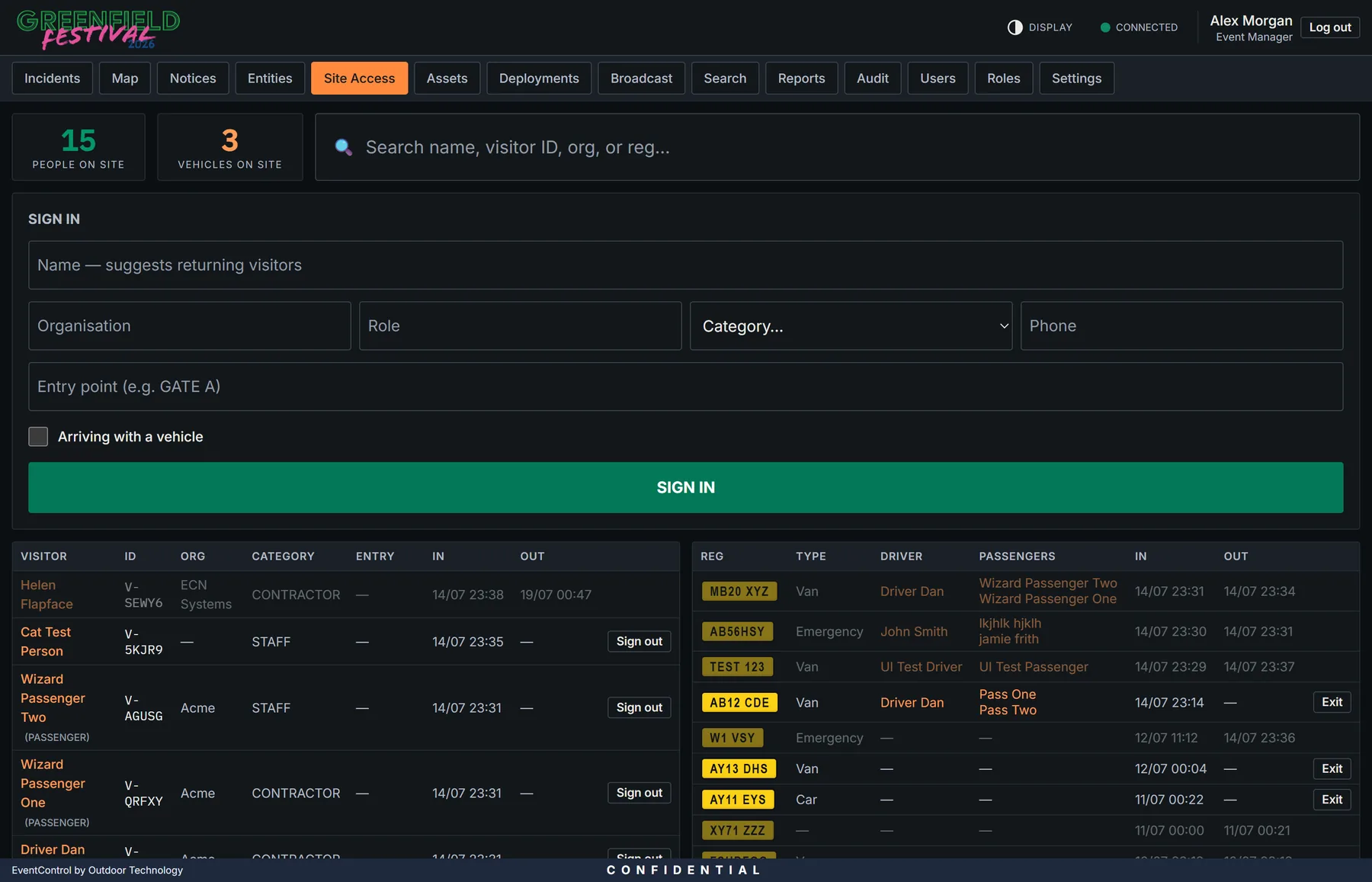
Every person and vehicle logged on and off site. Returning visitors are recognised from the registry, so the second visit is a two-tap job. A live count of exactly who is on the ground right now — which is the number you need within thirty seconds of an evacuation being called.
Manage operational units — medics, stewards, security, welfare — and dispatch them to an incident in one click. Stand-downs and redeployments are written automatically into every incident involved, so the timeline reconstructs itself afterwards.
Radios, buggy keys, medical kit, accreditation — anything issuable. See what's out, who has it and when it's due back, with overdue alerts before things go missing rather than at strike when they already have.
Send bulk emergency SMS from one page, with contact lists loaded in advance so nobody is pasting numbers during an incident. Delivery is tracked per message.
When things go wrong
A short demo on a real system, and a straight answer on what your event would cost.